
 FreyrFreyr — multi-brand e-commerce AI
AI store operations with your sign-off
SHOPLINE products, orders, stock and exceptions in one place

 Brand Agent
 Sync Agent
 Inventory Agent
 Product Agent
 Exception Agent
What it can do for you
Conversational lookups and actions
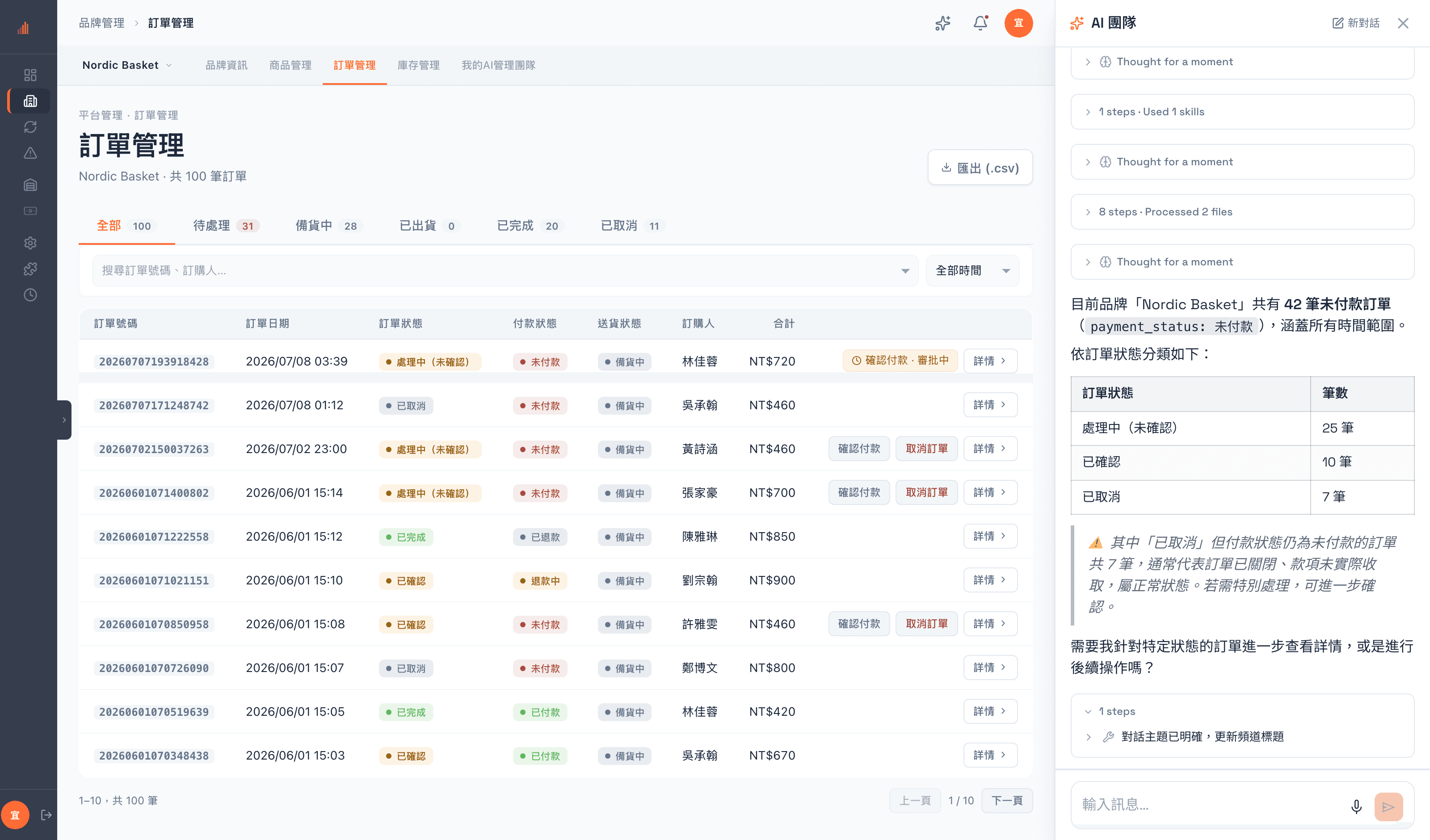
“Which orders for this brand are still unpaid, and how many are there? Just tell me here.”
One sentence buys you a summary, not another list
It reads through 100 orders and comes back with 42 unpaid, broken down by status, and points out that 11 of them are already canceled and can be ignored — so the real number to chase is 31. Every lookup it made can be expanded and checked.
SHOPLINE is supported today. More channels are opening up.
How you run the store today
One brand, one back office
Three brands means three accounts and three sets of habits. To see how the business is doing overall, you open a spreadsheet and stitch it together yourself.
When something breaks, the customer usually tells you first
Failed syncs, inventory that does not add up, orders stuck mid-flow — nothing raises its hand. By the time you notice, you have often already oversold or missed a shipment.
The person who knows how becomes the bottleneck
Listing, repricing, adjusting stock, chasing exceptions. None of it is hard, but all of it needs a person. The moment that person is busy, everything backs up.
In practice
A morning that actually happens
09:12
You see the alert
The exception center raises an inventory mismatch: USB-C fast charging cable, white / standard. The count on the shelf does not match the system. Nobody woke you up for it, but it is already on the record.

09:13
You ask one question, it goes and looks
“How many of this variant are there, really?” Cang-Cang, the inventory agent, checks the sellable count, the quantity SHOPLINE has synced and the recent change log, then points at where the gap came from.
09:15
It acts — and what it files is a request
Cang-Cang submits a stock-count correction. Note what it submitted: not the change itself, but an adjustment request awaiting approval, with an adjustment number and an approval number attached.
09:16
Until you approve it, the number does not move
The sellable count in the list is still the original one. Inventory only changes once someone with approval rights has signed off. Who filed it and who approved it go into the record together.
Why we let it act
Human approval
Every AI write goes to review
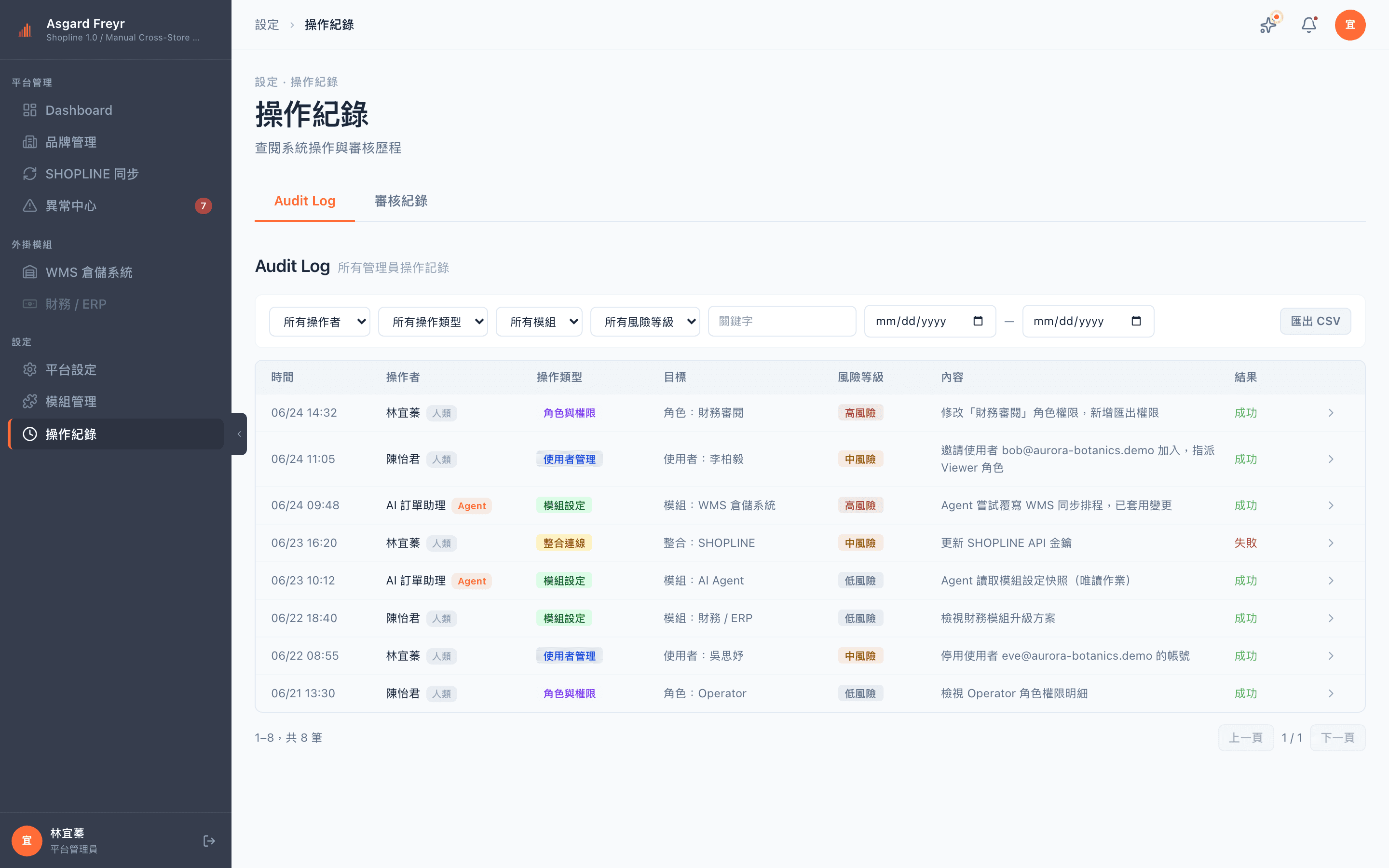
What the assistant submits is not the change itself; it is a request awaiting approval. The system enforces that gate — it does not rely on the assistant restraining itself, and the assistant cannot skip it.
Until approval, the number does not move
Once a request is filed, the list still shows the original value until someone with approval rights signs off. That gate catches both the misclick and the well-argued mistake.
Permissions apply to people and to AI alike
The assistant holds exactly the permissions you gave it, never more. If you cannot do something, asking the assistant will not get it done — it tells you it cannot, rather than pretending it did.
Every action is signed
The activity log records whether a person did it or the assistant did it on their behalf, and who cleared it. Reconciling afterwards does not depend on anyone remembering.
The AI team
Specialist AI assistants
Brand-specific skills and instructions
Brand stewardXiao-Lian
Brand Agent
Watches the health of every brand and sets the order of play for the day
Drafts only, never submits
Sync stewardA-Bu
Sync Agent
Minds the SHOPLINE sync, catches failures and prepares the resend
Resends go through review
Inventory stewardCang-Cang
Inventory Agent
Flags stockouts, warns about dead stock, drafts your restock list
Drafts only, never submits
Product stewardPin-Pin
Product Agent
Checks how complete product data is and fills in copy and images
Never publishes on its own
Exception stewardXiao-Xin
Exception Agent
Triages today's exceptions and marks the ones a person has to take
Read-only, looks but never acts
What sits underneath
The operations hub
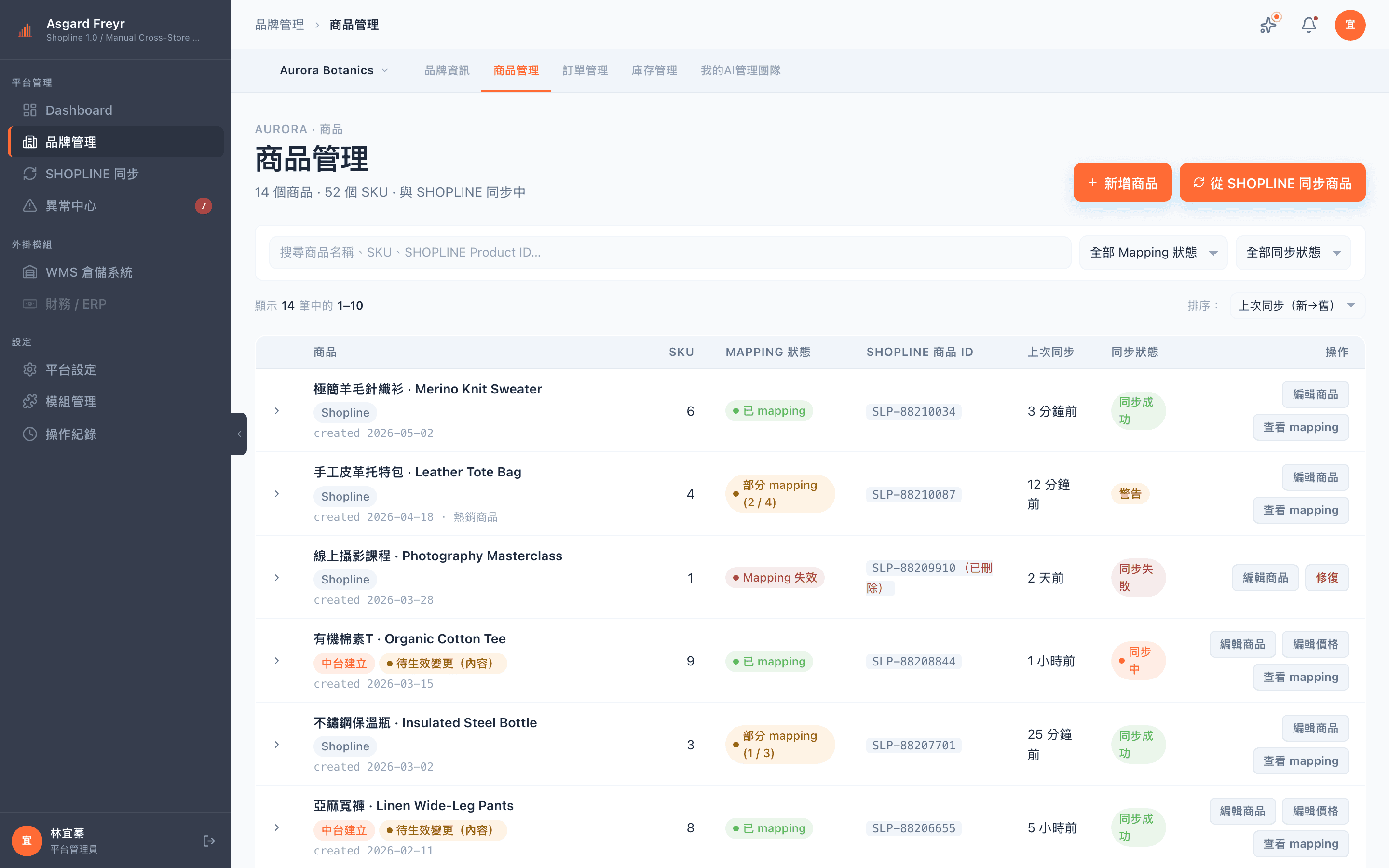
01 / Products
Products and SHOPLINE mappings
- Products created in the hub can be edited and pushed directly
- Products from SHOPLINE stay under SHOPLINE control and are read-only here
- Mapping status shown on the list itself (mapped / pending / broken)
- One SKU convention across every brand, with no collisions
- Price, variants and images each have their own entry point and their own review
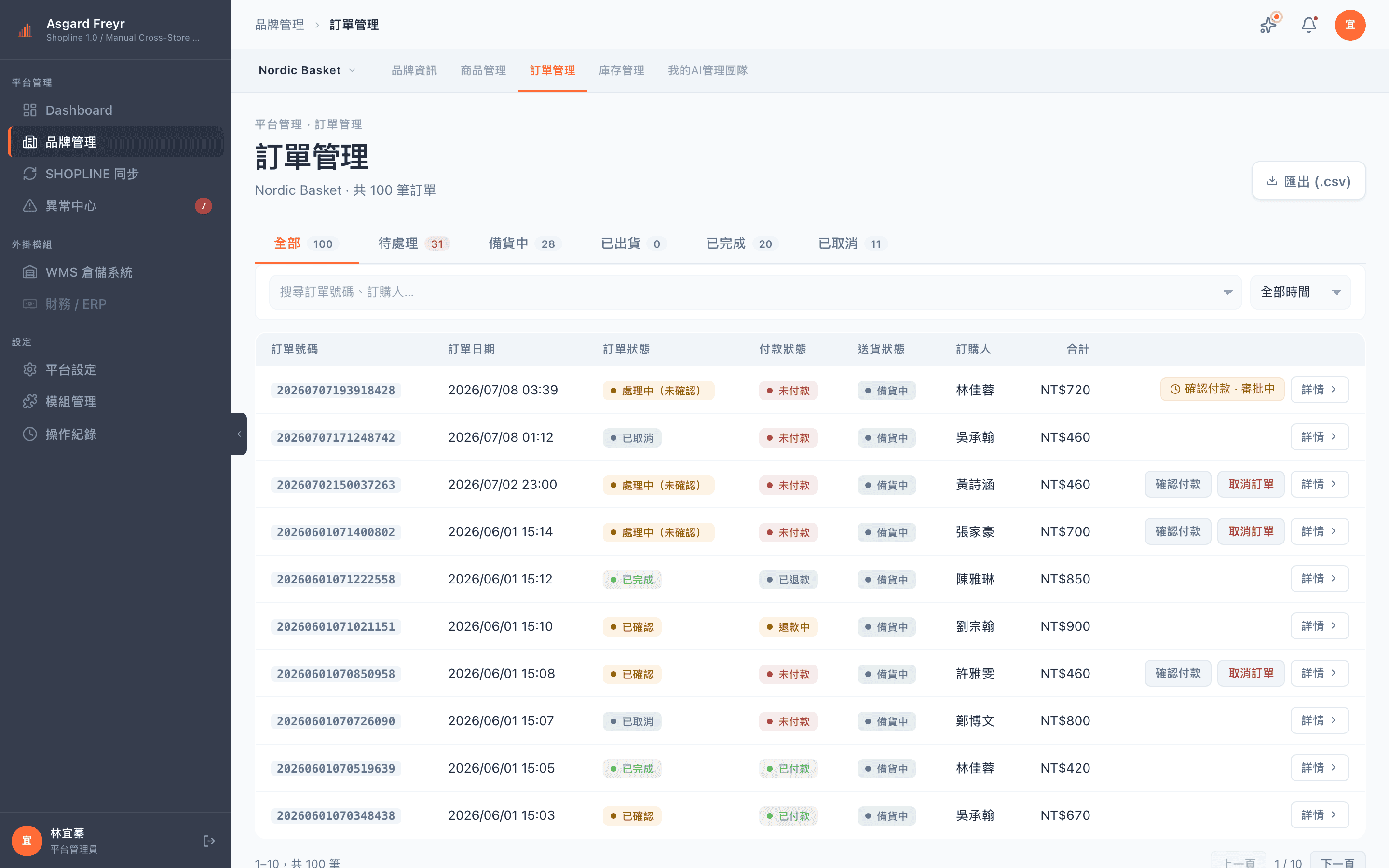
02 / Orders
Order desk
- Orders waiting on you sit at the top
- Change order status straight from the list
- Shipping status and tracking numbers read back from SHOPLINE
- A cross-brand fulfillment queue for push and write-back failures
- Order details include read-only invoice information
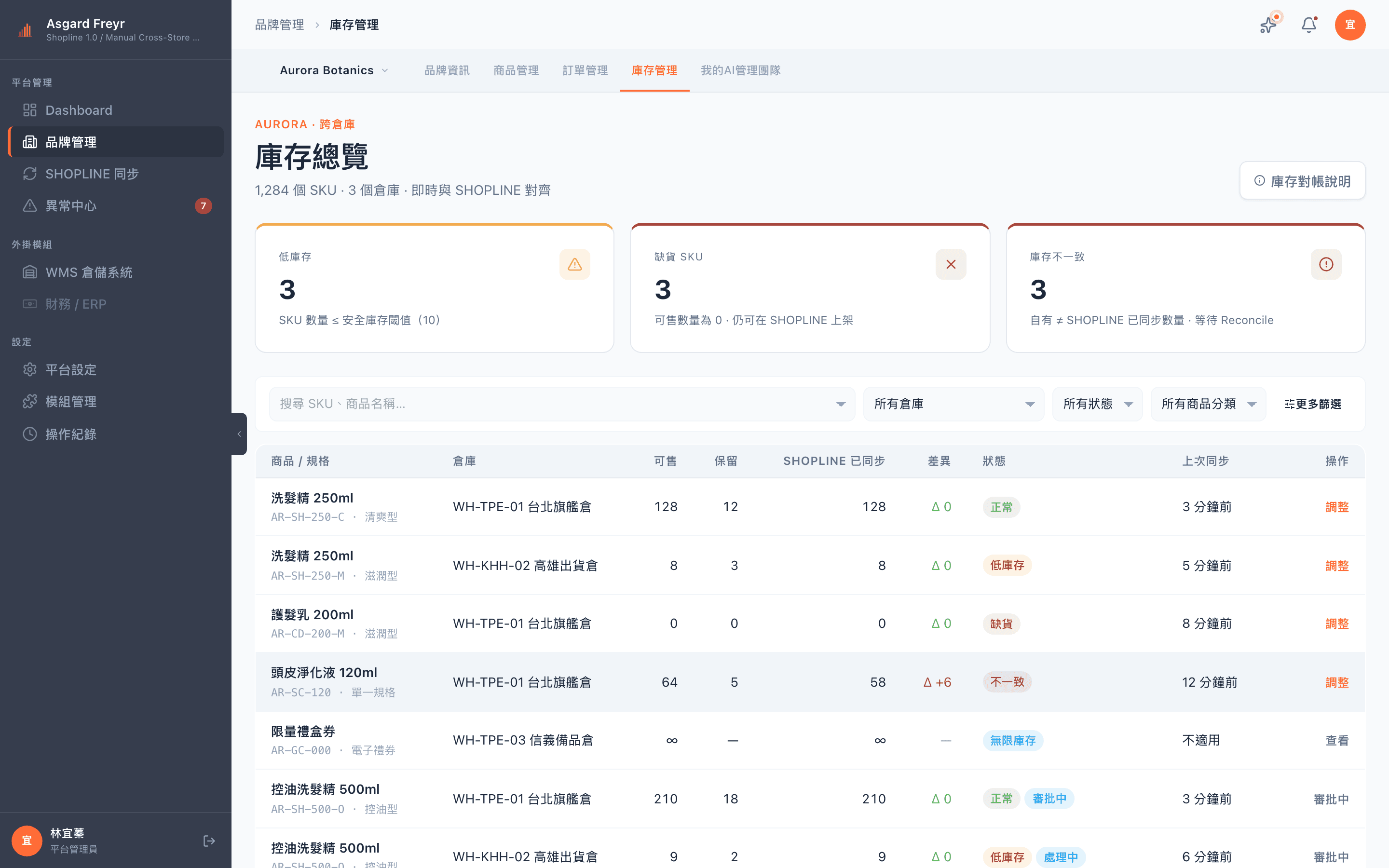
03 / Inventory
Stock change history
- Cross-brand inventory overview with a low-stock filter
- Manual adjustments go through review, and sensitive rights can require two signatures
- A traceable change log with who made each adjustment, why, and the previous value
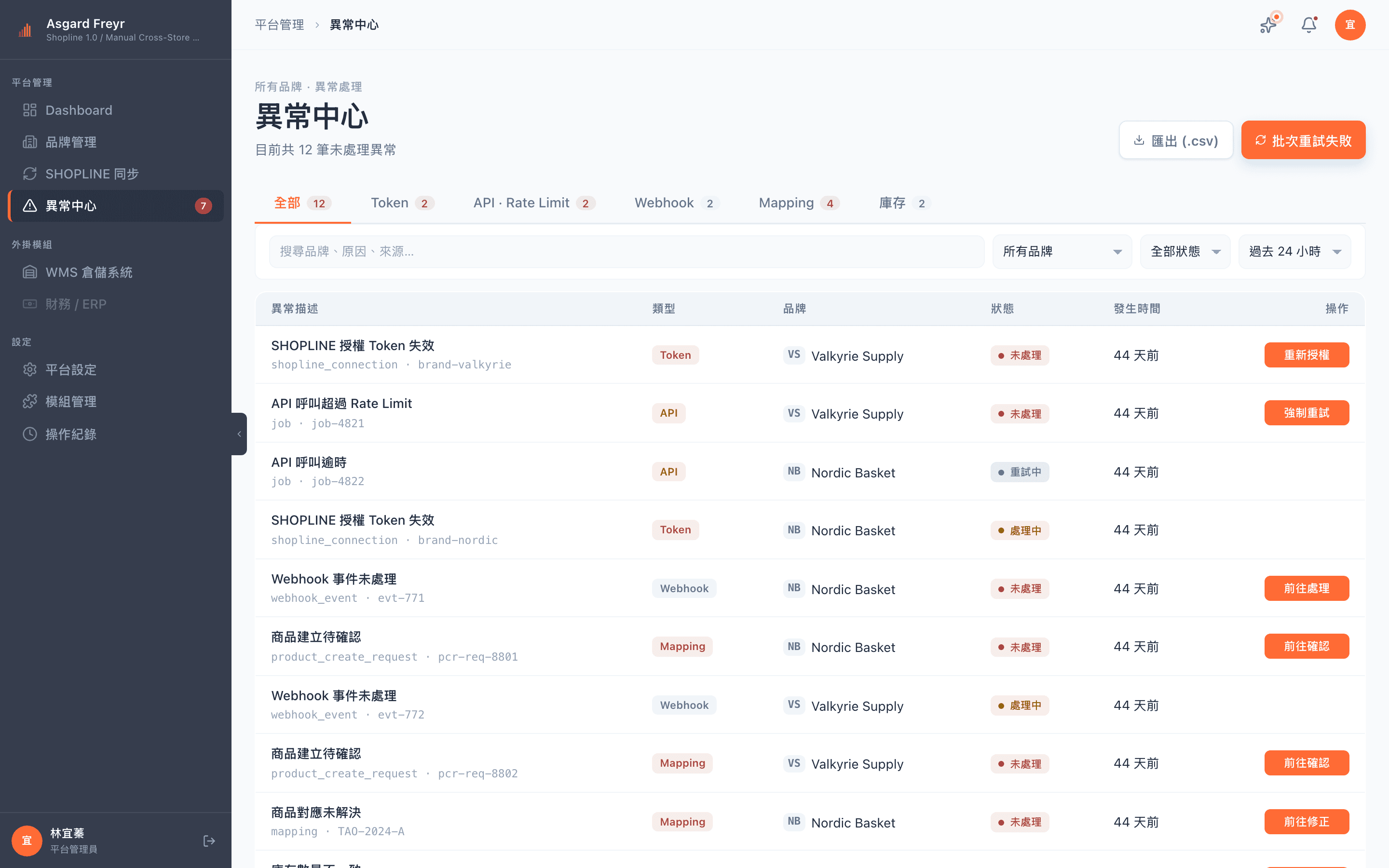
04 / Exceptions
Exception center
- Failed syncs, broken mappings and rejected pushes all go to the exception center
- Collected across modules and ordered by severity
- Every record keeps the raw error, unpolished
- Hand them to the AI assistant to triage and draft a fix
Integration
SHOPLINE integration
- Two-way inventory sync
- Stock movements stay consistent on both sides. No manual reconciliation.
- Read-only write-back for orders and shipping
- Shipping status and tracking numbers are read back automatically. Shipping itself still happens in SHOPLINE.
- Invoices are read-only
- SHOPLINE issues the e-invoice. The hub displays it and never triggers it.
SHOPLINE is supported today. Other channels and WMS integrations are opening up in stages.