
Multi-brand operations back office
01 / AI assistant
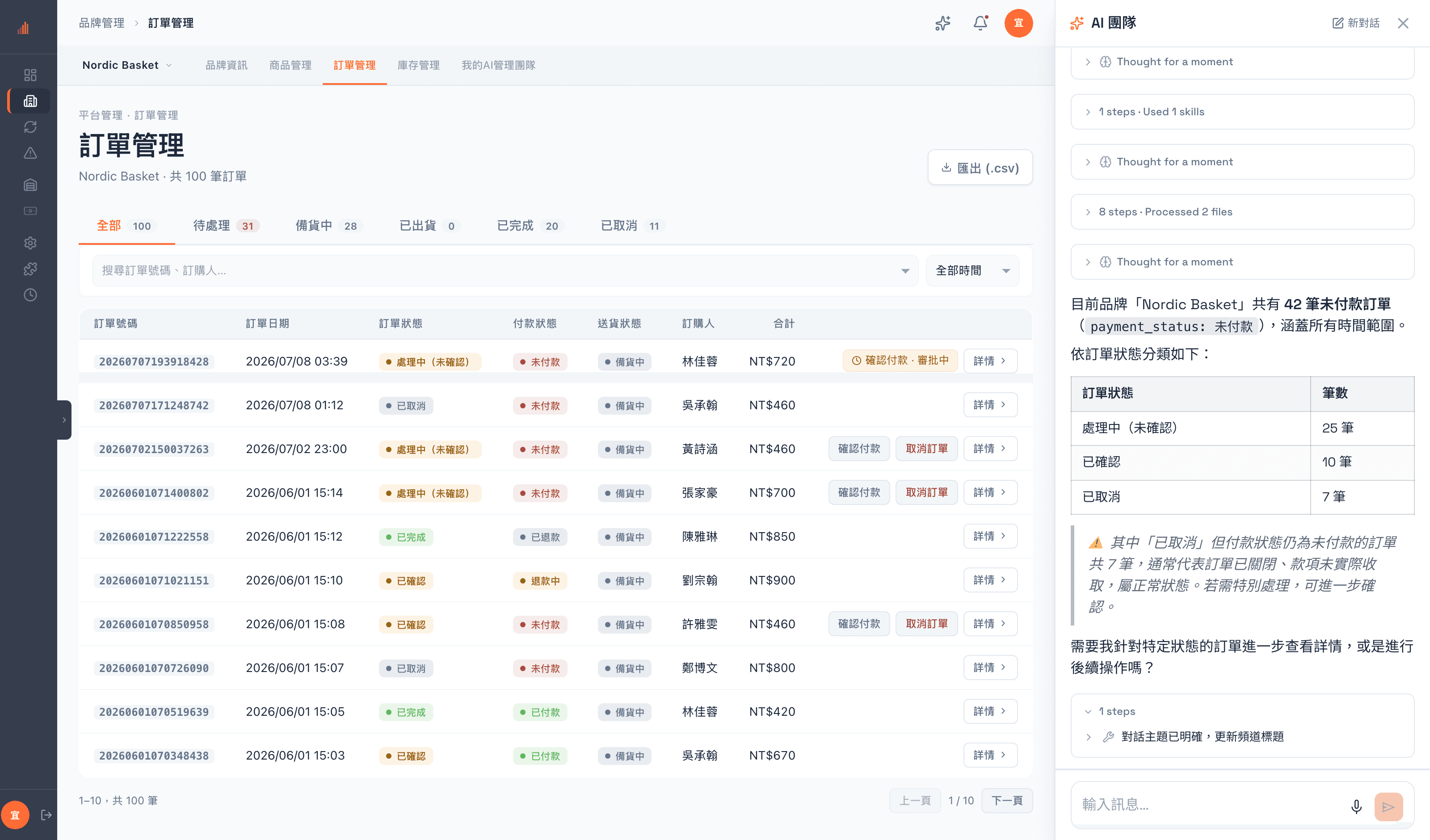
Docked AI side panel
- Available on any page, carrying the brand context you are in
- You can see which tools it called and what came back — not a black box
- Work in progress runs in a floating tray, so it never blocks what you are doing
- Switching brands does not restart the conversation
- A conversation lives as long as the tab, so a refresh keeps the context
02 / Every submission goes to review
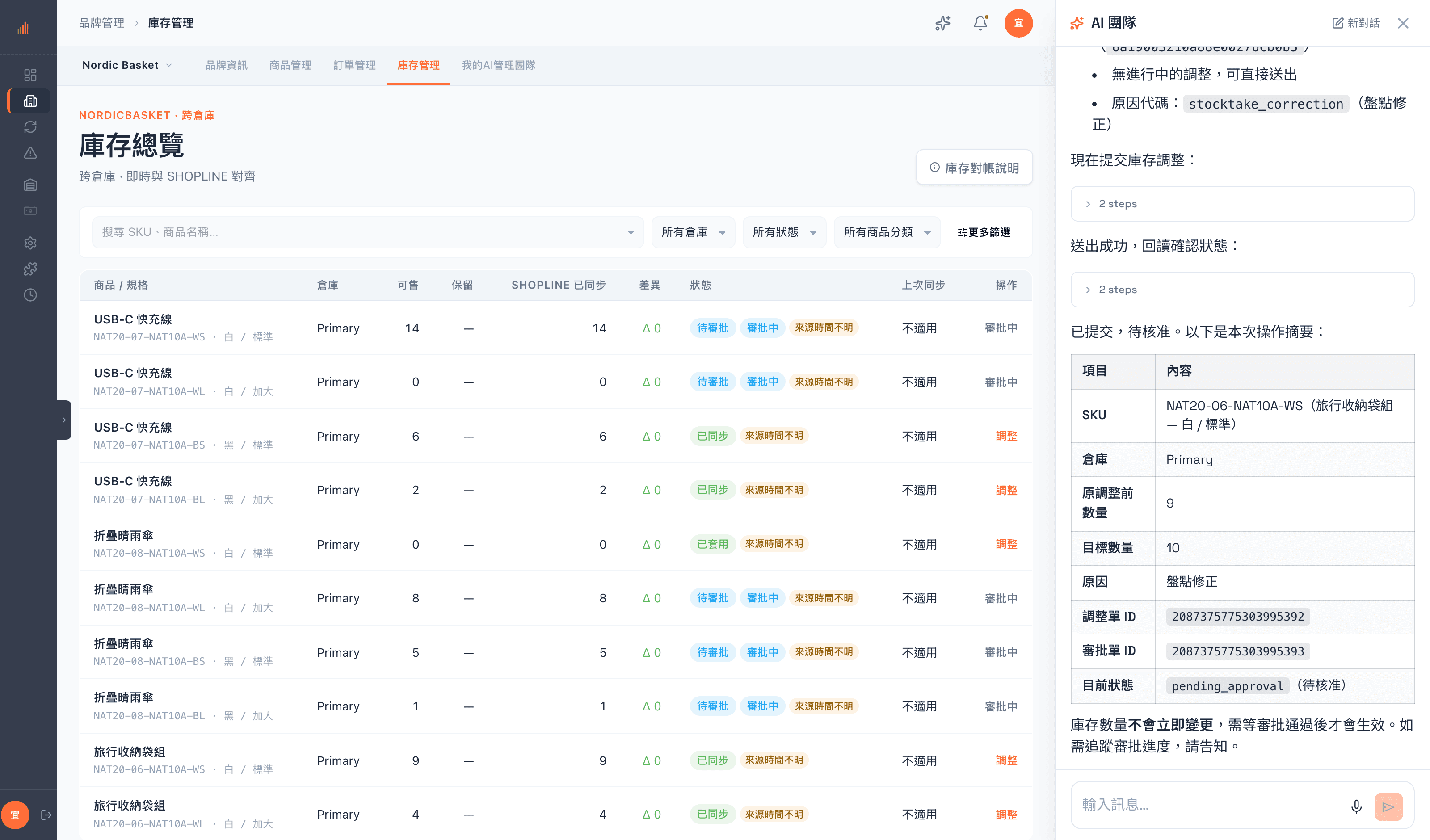
Approval requests for AI changes
- A change the assistant starts is a request awaiting approval, not the change itself
- The system enforces this gate; the assistant cannot skip it
- Requests and approvals each carry a number, so who filed it and who approved it are both traceable
- Until approval, the list keeps showing the original value
- Approval rights can be granted separately from operating rights, giving you two-person sign-off
- The assistant sometimes asks whether you want it to submit, but that is its own judgment; the real gate is the review
03 / Multi-brand
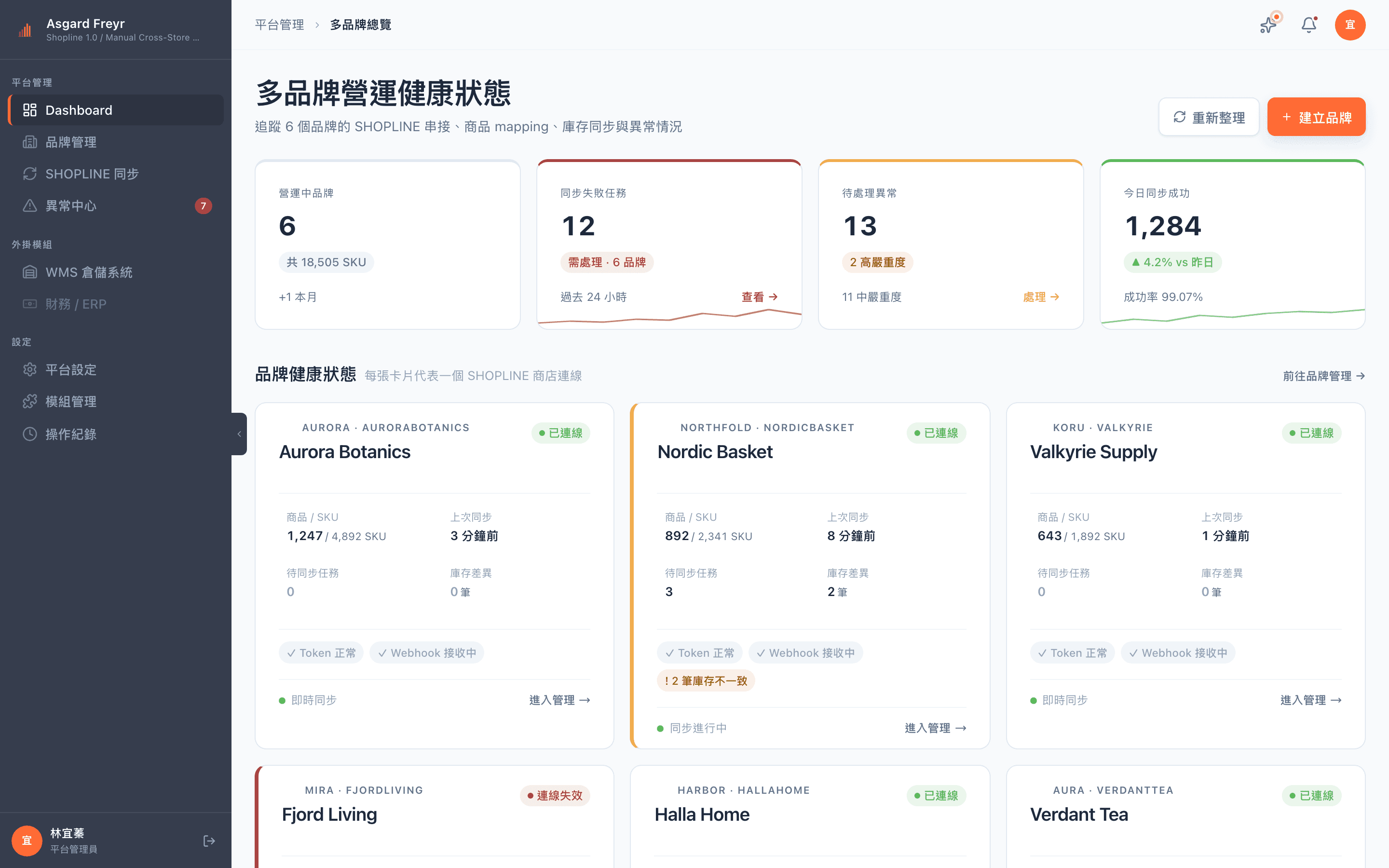
A cross-brand overview and a home page per brand
- A cross-brand dashboard you can drill down from
- A persistent brand context bar, so you always know which brand you are in
- A cross-brand fulfillment queue that clears shipping for every brand in one pass
- Permissions are separate per brand, so an agency can open only certain brands to certain members
04 / Permissions
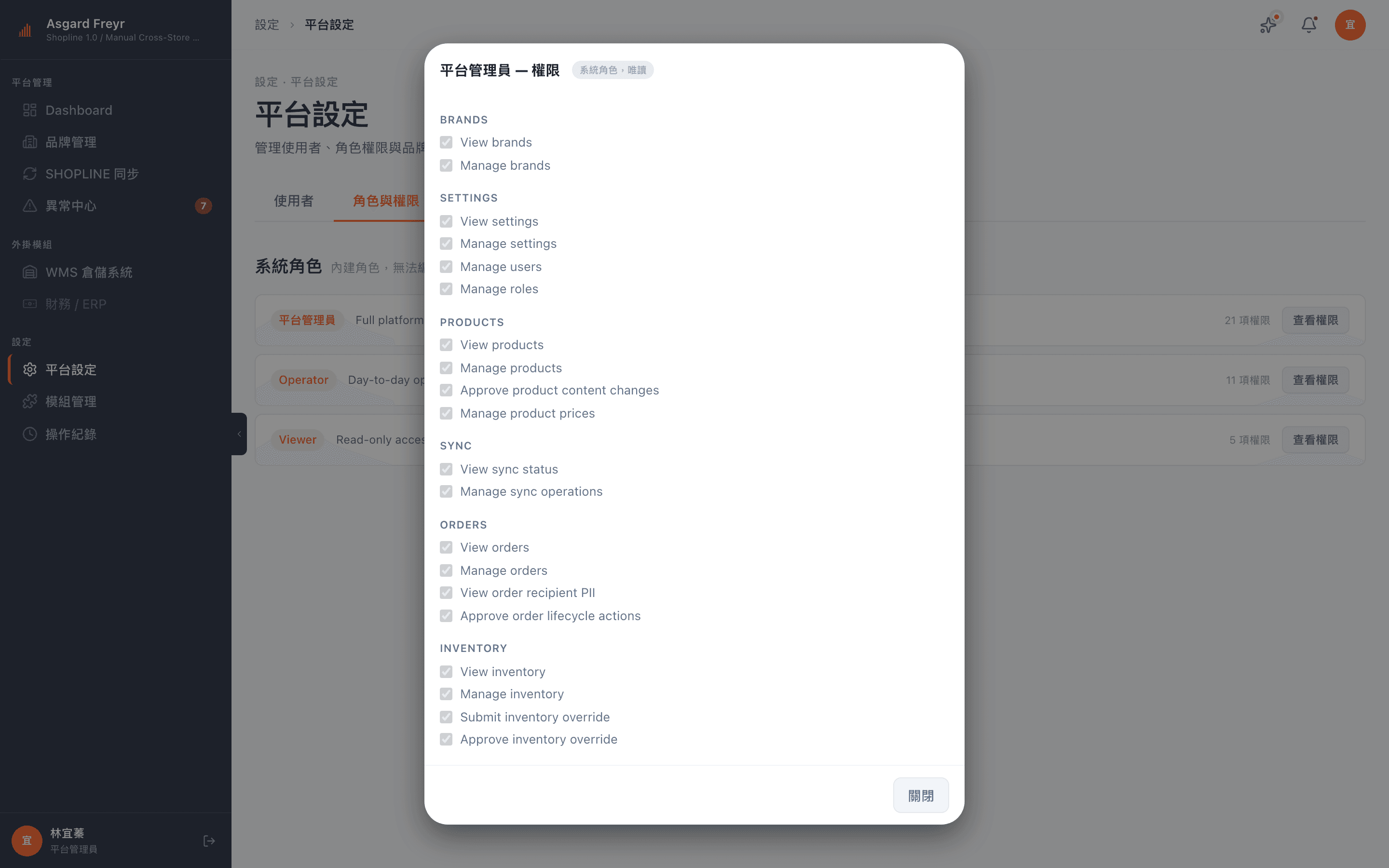
Fine-grained permissions for people and AI
- Three system roles (administrator, operator, viewer) plus custom roles
- Permissions are per action: viewing personal data, overriding inventory and approving reviews are granted separately
- Member invitations go out as a one-time link, valid for 7 days
05 / Audit
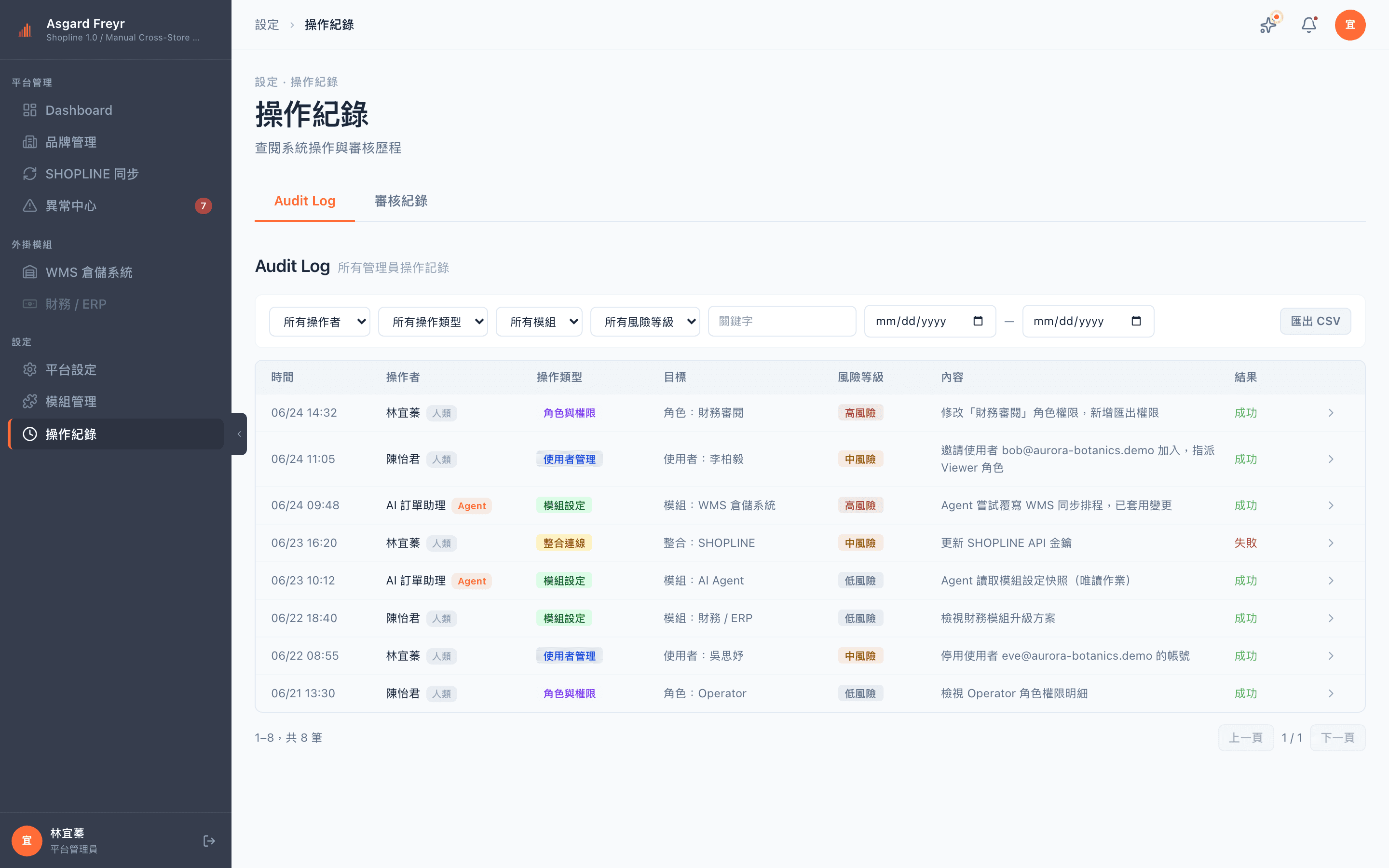
Activity logs and approval records
- Per-action auditing, filterable by module, operator and time
- Marks the source of each action (human / carried out by AI)
- Actions that need two signatures keep a separate approval record, stored read-only
- Both logs can be filtered and exported
Adoption
Frequently asked questions
Will the AI change my products or my inventory on its own?
No. Any change it initiates against your data becomes a request awaiting approval, and it only takes effect once someone with approval rights has signed off — the system enforces that gate, it does not depend on the assistant behaving itself. The permissions it holds never exceed the ones you granted.
Once we are connected, do we still use SHOPLINE?
Yes. Shipping and e-invoicing still happen in SHOPLINE, and Freyr does not replace it. What Freyr solves is the other problem: several brands, several back offices, no view of the whole and no way to automate any of it.
We only have one brand. Is it still a fit?
You can use it, but the value concentrates in the AI assistant and in centralized exception handling. The cross-brand parts only start to pay off once you run two brands or more.
Will our data be used to train models?
No. How data is handled is set out in the privacy policy, and data residency and retention periods can be agreed separately before signing.
How long does onboarding take?
It depends on the number of brands and the size of the catalog. Connecting SHOPLINE itself is quick; what takes time is usually auditing the SKUs and mappings of your existing products. We estimate that part with you during the consultation.