Asgard's AI implementation steps
Scope
Asgard Forward Deployed Engineering
What the Asgard FDE delivers
This is your Asgard workspace. Agent settings, requirements and decision records live here.
- projects/<project>/chart/
- templates/
- agent/
- ag-support.yaml
The agent's persona and boundaries.
- skill_set/
- sk-faq.yaml
Which skill set the agent reads, and which repo it syncs from.
- tool/
- ts-order.yaml
MCP for looking up orders.
- wf-order-status.yaml
A small workflow chaining the order-status steps.
- supervisor/
- bot_provider.yaml
Where users come in: website, LINE, Slack, Sindri.
- workflow.yaml
Conversation flow: model replies, then waits for the next message.
- sandbox_blueprint.yaml
The agent's runtime, with skills and tools attached.
- assets/skills/
- faq/SKILL.md
How the company works, written for agents to read.
Kubernetes
Asgard Platform
DB credentials
Entered on the Platform. Never in the repo.
Process
Asgard implementation process redesign
Problems
Asgard Platform uses Infrastructure as Code. Deploying to a customer environment means writing code.
Every implementation needs an engineer who understands Asgard Platform settings to take part in the deployment.
Any change after deployment also needs an engineer to change the code.
- Implementation knowledge
- Deployment Skill
 Asgard Platform
Compare
Implementation staffing
Traditional implementation
- Who does it
- Human consultants and a team of engineers.
- Preparation
- The consultants must get certified. The engineers must be trained.
AI implementation
- Who does it
- One AI consultant completes each setting above. The AI consultant is a coding agent with asgard-cli loaded.
- Preparation
- Asgard wrote all of its platform knowledge into asgard-cli. The AI consultant reads asgard-cli.
How it works
The AI consultant's steps
FDE
Discovery
The FDE team interviews your team and collects how your company works and its documents.
FDE
Ask the AI consultant
“Please put these documents onto the Asgard Platform.”
AI consultant
Write the settings
The AI consultant reads the LLM Wiki in asgard-cli, then writes the agent settings. The LLM Wiki has:
- How Helm charts are written
- Deployment examples
AI consultant
Deploy
The AI consultant deploys the settings to Asgard Platform.
Example: add the new-employee handbook
The FDE says the files are in the "HR / New employees" folder on Google Drive. The AI consultant first confirms who updates the handbook and who grants read access to the folder. The credential owner enters the authorization in a form that the AI consultant opens. The AI consultant adds the knowledge-source setting source_set/handbook.yaml.
Workbench
Odin Workbench
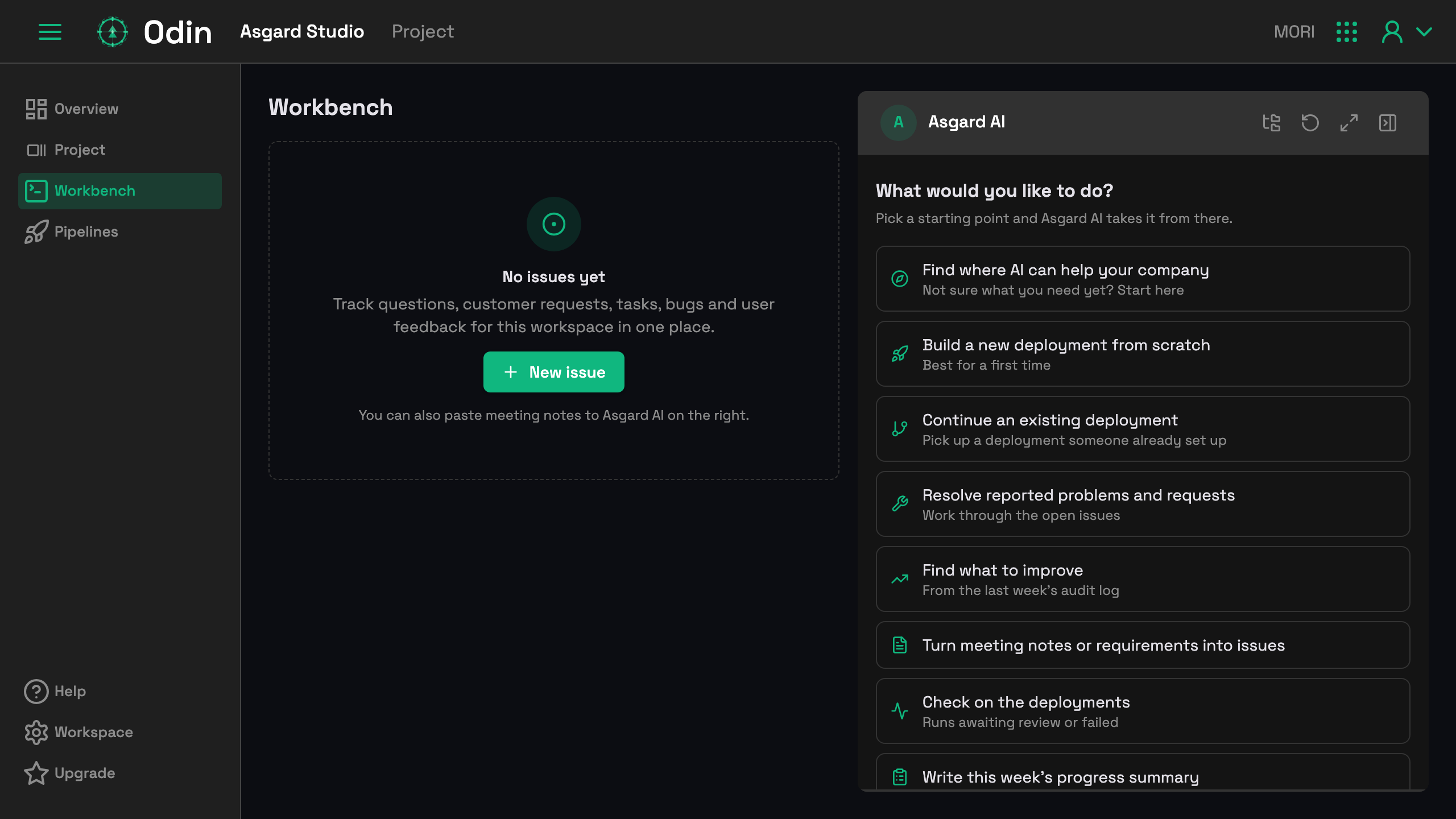
Your own team can design with AI too.
- Discuss with Asgard AI where to use AI and how to design it
- Questions, requirements and to-dos become issues
- Asgard AI turns meeting notes and requests into issues
- Asgard AI sums up the week and checks pending or failed deployments
Next step
Next steps
- 01
Two-hour workshop
You bring one workflow that runs today, and the Excel files or reports you use now. Together we confirm on the spot which steps AI can do, which systems to connect, and which knowledge is missing. - 02
PoC for one scenario
Pick one scenario from the workshop. Set the acceptance questions before the work starts. When the PoC passes, we talk about the next department. Services are priced per person-day, and the rate is on the pricing page.