
Odin
Asgard Studio
Build
Agents and semantic models
- MethodsSkill, MCP
- A skill records how a department does its work. MCP lets the agent use tools in outside systems.
- Semantics & knowledgeKnowledge base, semantic model
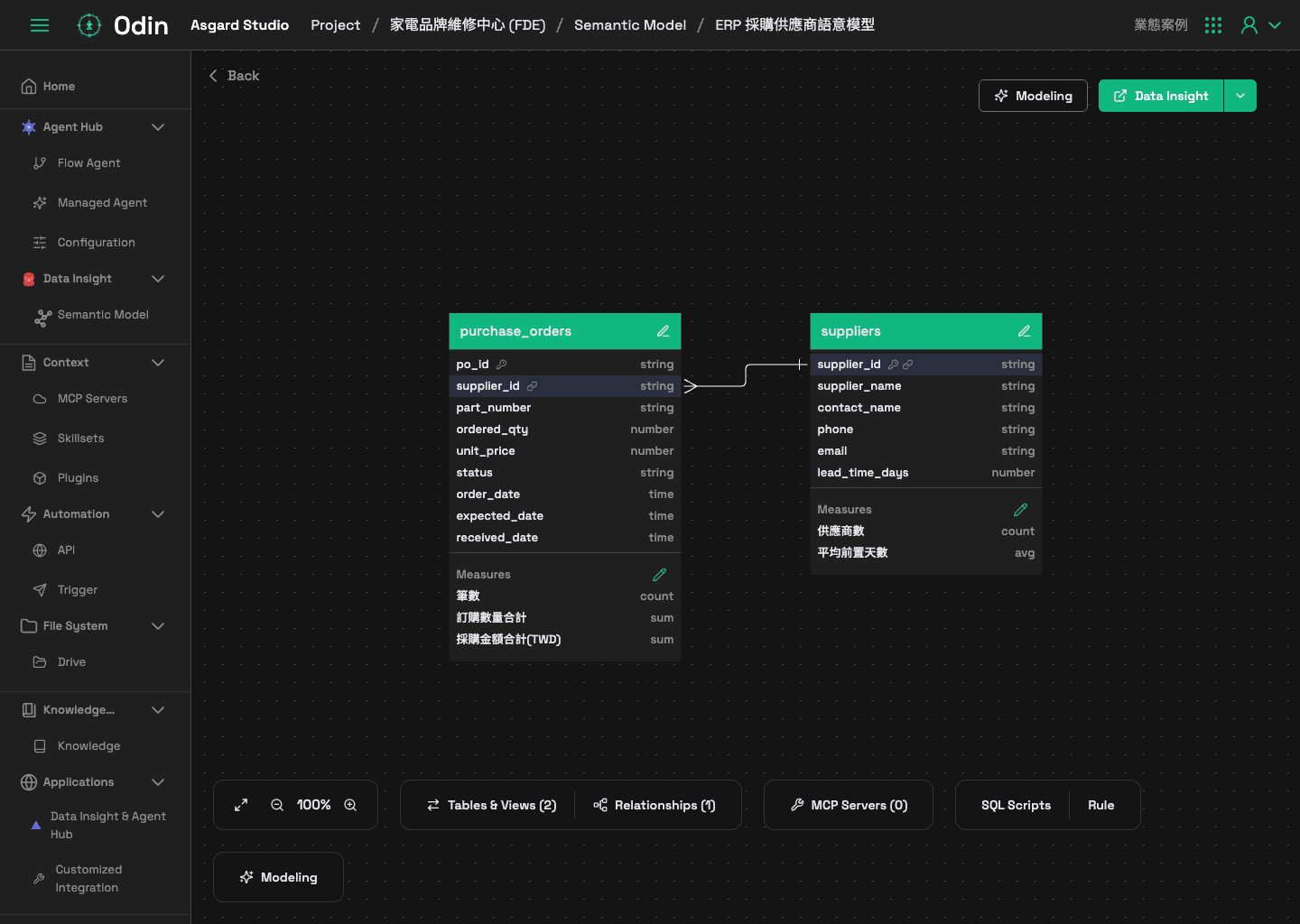
- The knowledge base holds process documents and training manuals. A semantic model records what each field means and how the tables relate.
- SindriAgents Hub
- An agent that Odin publishes appears in Sindri. The agent runs in a Sindri session sandbox.
- MimirData Insight
- A semantic model that Odin publishes appears in Mimir. Executives query numbers in Mimir against that model.
Living wiki
Bringing in internal knowledge
- 01
Scheduled sync
Syncer regularly pulls content from Google Drive, OneDrive, Git, websites and more into Drive. - 02
LLM Wiki
LLM Wiki turns the content of Drive into linked markdown pages. The pages form a tree. The structure is based on Andrej Karpathy's LLM Wiki. - 03
Reading order
The agent reads the index and picks the pages it needs. The agent opens only those pages. The agent cites its sources in the answer. - 04
Knowledge updates
When a source document changes, Syncer pulls the new version into Drive on its schedule. The agent uses the new version for the next question.
Product
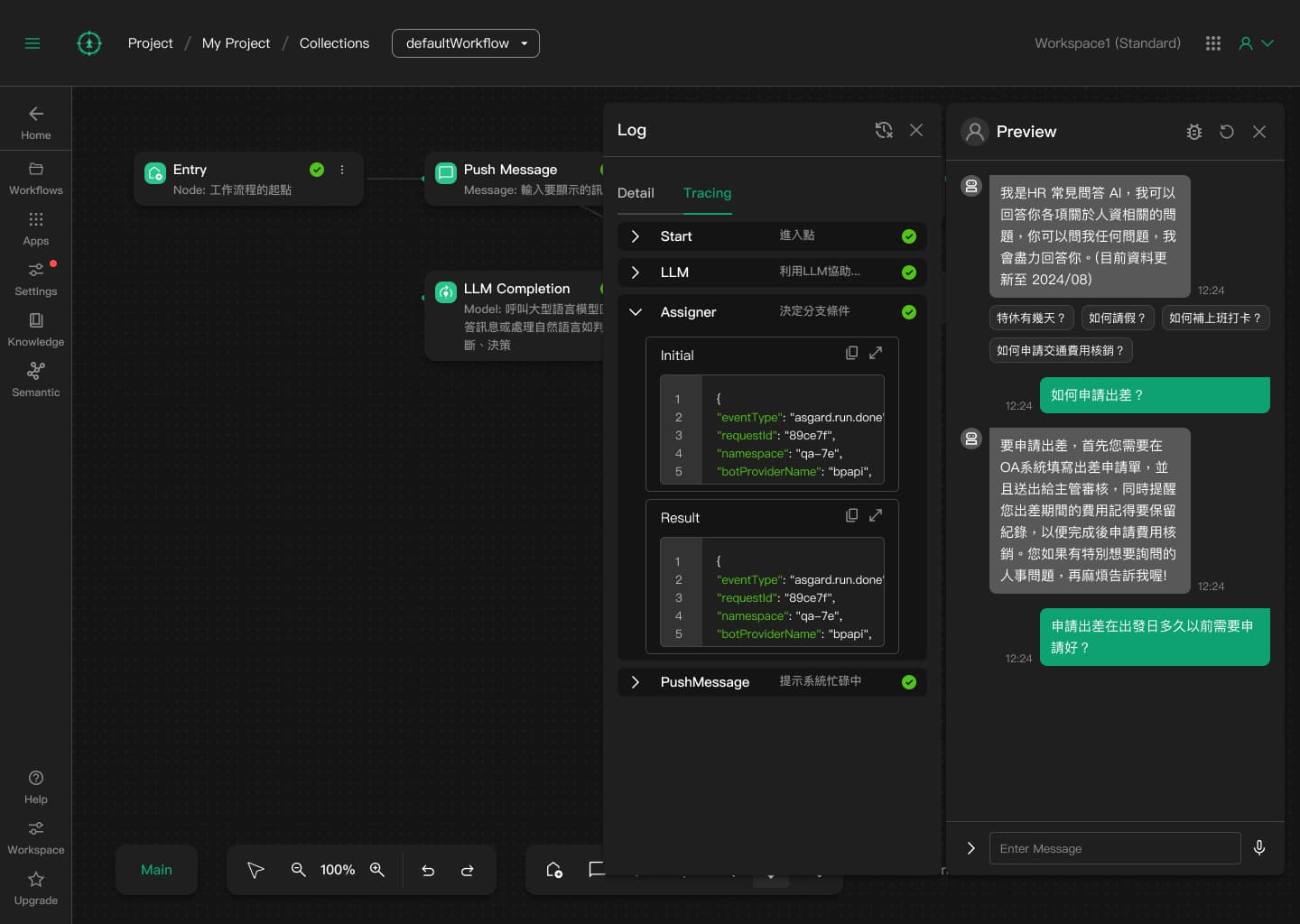
Odin in action
1 / 4
Arrow keys or swipe
EXTENSIONS
Systems to connect
- AirtableAirtable
- ClickUpClickUp
- ConfluenceAtlassian
- CWA Open DataCentral Weather Administration (CWA), Taiwan
- Digiwin ERP Semantic ModelDigiwin
- DropboxDropbox
- ECPayECPay
- FlowiseFlowiseAI
- GmailGoogle
- Google BigQueryGoogle
- Google CalendarGoogle
- Google DriveGoogle
- HubSpotHubSpot
- IntercomIntercom
- JiraAtlassian
- monday.commonday.com
- n8nn8n
- NetSuiteOracle
- NewebPayNeweb Technologies
- NotionNotion
- OneDriveMicrosoft
- SalesforceSalesforce
- TDCC OpenDataTaiwan Depository & Clearing Corporation








Next
Next steps


Start here
Book a two-hour workshop
AI feasibility review of a live workflow